iC3D
All-in-one 3D packaging design software
The iC3D Suite is the all-in-one software that produces fast, accurate and photorealistic 3D virtual prototypes. It ensures a smooth transition from design concept to shelf.
iC3D is the first 3D packaging design and visualisation software to offer the patented “Smart Wrap” Mapping software which allows labels and artwork to be placed accurately onto complex models without the need for tedious UVW mapping of texture coordinates.
iC3D comes with a direct link into Adobe Illustrator allowing your 2D Illustrator artwork to be directly mapped onto your 3D models as base artwork or as labels.
Output hi-resolution images, PDF proofs for mark-up or share your designs with colleagues and customers using the iC3D Movie exporter, which creates portable compressed movie files that can be shared or put on compliant websites.
iC3D v5
Creative Edge Software has just released version 5 of its groundbreaking iC3D packaging design solution containing a wealth of important new features. iC3D is the only complete 3D packaging solution that combines all tasks from initial packaging design to photo-realistic pack shots in one application.
The five key features of the new iC3D versions 5.0 are:
- Point Editor is an advanced shape editing tool, providing enhanced photorealism through the ability to add curves, creases, crumples and dents to models selectively.
- UVW Editor enables selective manipulation of artwork placed on 3D models to correct artwork distortion, improve naturalism and allow artistic interpretation.
- Physics Simulator automatically calculates appropriate curves, creases and distortions to create photorealistic 3D flexible packages, such as bags and pouches, at a mouse-click.
- Sealed Shrink is made to visualize shrink-filled packages, using completely sealed bags. This feature complements the existing iC3D Shrink Sleeve feature.
- Advanced Shape Modeller is an additional tool for the creation of highly complex 3D shapes and combinations of shapes.
iC3D – Mac
Operating System: Mac OS X 10.9 (Mavericks) or higher
Ideal Configuration:
4GB + Ram
500GB HDD
Dual core processor (quad core preferred).
Graphics:
Minimum: NVidia or ATI Graphics card with 1 GB VRAM (2 GB or higher recommended)
3rd Party Software:
*Adobe Illustrator Version 16 is required (i.e. CS6).
*Note: Will not work with older versions of Illustrator i.e. CS5
iC3D – Windows
Operating System: Windows® 7 or Windows® 8, 64 bit version only
Ideal Configuration:
4GB + Ram
500GB HDD
Dual core processor (quad core preferred).
Graphics:
Minimum: NVidia or ATI Graphics card with 1 GB VRAM (2 GB or higher recommended)
3rd Party Software Required:
*Adobe Illustrator Version 16 is required (i.e. CS6). 64 bit version only
*Note: Will not work with older versions of Illustrator i.e. CS5
3D Model Creation
Model Import
Import models from all major 3D applications, using the common cross application formats such as:
- Collada (DAE)
- Modo (LXO)
- 3DS Max (3DS and ASE)
- Wavefront Object (OBJ)
- Lightwave (LWO and LWS)
- Milkshape 3D (MS3D)
- STL (Stereo Lithography 3D Printer files)
Most models are imported with their materials (where applicable).
Where a model is not available you can take advantage of iC3D’s Model Generation Service to create the model you desire from your designs.
Drag & Drop Model Library
iC3D is delivered with an ever expanding model library of common packaging models. Your own packaging models can be added to the model library for quick and easy access when creating your packaging designs. To use a library model it’s as simple as dragging a model from the library and dropping it within the scene.
Model creation using Model Templates
One of the slowest parts of packaging design can be creation of models. Especially if you need to keep changing the model as your concept develops. Model templates make this creation and recreation process considerably faster. iC3D ships with a range of model templates ranging from bottles, bags, magazines, and many common flexibles types, like Gusseted Bags, Pillow Bags, Sachets, Pouches and many more. This collection of auto generated template models is continually growing so if you don’t find the template you are looking for we may be able to create it for you.
Model Object Editor
The model editor allows you to manage the multiple models and model components that are often used to build up a scene. The editor allows the user to interactively control of the objects, meshes and materials within the scene, including the ability to rename the scene components for better controls.
Materials
 Material Import
If you are creating 3D models in your favourite 3D application and it supports the exporting of materials, then the likelihood is that those materials and the associated bitmaps can be loaded into iC3D.
Material Creation
Where you need to easily create sophisticated materials like refracting glass or metallic effects like gold foil, holographic or even lenticular effects, the iC3D material editor is designed to simplify this process for you. Once you have created the surface materials for your model they can be easily applied to using drag and drop to the correct parts of your model or by using the Object Editor.
Real Time 3D Environments

Real Time 3D Rendering
The 3D environment generates the required 3D shaders on the fly in order to correctly render all changes to models, materials and environments on the fly. No need to wait while your display updates, changes are applied in real time, meaning you can instantly tweak them to create the effect you are looking for.
IBL Lighting model
The 3D rendering model is based around Image Based Lighting, which use HDRI or EXR environments to calculate accurate and realistic lighting. Like a ray tracer it calculates the correct amount of lighting to apply and the environmental lighting influences on a per pixel basis for every rendered frame, however, unlike a ray tracer it is able to do this in real time.
Real Time Material Editing
Open an objects material in the materials editor, make changes and see those changes instantly updated at full rendering resolution to the model.
HDR & EXR support
Import HDRI and EXR format environments directly into iC3D so your models are shown in the environment of you choices. In addition use the environment as a 3D background for your scene.
Packaging Types Supported

iC3D prides itself on supporting a large number of packaging type or discipline under one application. These include:
- Bottles
- Flexibles
- Magazines
- Packets
- Cartons
- Bags
- Plastic Containers
- Tins
- Plus many more
All of these can have labels and or base artwork applied to them, directly from within Illustrator.
Stacked Shelving Display

In iC3D it’s possible to display a shelf or display tray containing different products so they can be compared together. This is useful for the comparison of, Competitive Analysis, Version Comparison and Variant Comparison or for just checking how many with fit in the tray . This is simple process whereby several SKUs can be selected, the number of items specified and they will then be organised on the shelf automatically. Once placed on the shelf it is possible to interactive edit them, for example changing the colour of the label.
Adobe Illustrator Plugin
Real Time Editing of AI Art
iC3D comes with a plugin for Adobe Illustrator. This plugin allows you to connect iC3D to your copy of Illustrator. When you create labels or base artwork within iC3D these are automatically created in Illustrator, where you can add artwork to the illustrator document and it will appear on your label or model within iC3D.
Open in AI
The process also works in reverse, where you can select within iC3D to open your already designed label artwork (.ai and .pdf files formats supported ) and it will open this artwork for you with Illustrator and create an iC3D label linked to it automatically. Once opened the artwork will appear on you label which can then be interactively positioned on your model.
Labelling

Add labels to Models
iC3D’s Auto Mesh Mapping software allows labels to be placed accurately onto complex models without the need for tedious UVW mapping of texture coordinates. As UVW mapping of a model takes often as much time as modelling the model in the first place this can be a considerable time saving.
2D & 3D Labelling View
Labels can be seen both in 3D on a model or in 2D using the separate 2D views. These 3D and 2D Views can be exported to PDF to allow for accurate mark-up.
Gap Jumping
iC3D’s Auto Mesh Mapping software can also be adjusted to jump gaps allowing labels to flow smoothly over gaps like ridges in tins or plastic water bottles.
Print Effects

iC3D labels and base artwork can have many effects applied to them. In the Adobe Illustrator artwork, specify a spot colour to represent where the effect should be placed, then select which effect to associate with the spot colour. The rest is done automatically for you. iC3D has many predefined effects but allows you to also design your own.
Predefined effects include:
- Hot and Cold Foils
- Emboss and Deboss
- Holographic
- Lenticular
- Opaque White
- Metallic Inks
- Many Other Effects
Special Effects
Flexible Packet Filling
All the flexible templates allow the packets to be animated from empty to full. So you can see the effect on your artwork in different states of fullness. In addition if you have a model that has two versions, a full model and an empty version of the model, you can create your own flexible models using the iC3D Flexible Model Editor.
Filling Objects with Liquid
Models that should contain liquids can also be filled with liquid in order to see the effect the liquid has on the design. The opacity and colour of the liquid can be individually controlled.
Real Time Shadows
iC3D has the ability to cast real time 3D Shadows, on other meshes within the model, creating an even more realistic rendered environment.
Reflections in the Floor
Reflections of models can be projected in the floor plane to give the impression they are sitting on a shiny surface.
Complex Scene Staging

All of the above comes together to allow the staging of complex and dynamic scenes using cross discipline packaging type. An example might be an accurate model of scotch could be created and labelled then placed to an equally accurate model of the box the scotch goes in. Then a glass of scotch with its ices is added to the scene and the materials for the glass and ice are applied. Then liquid if fifed in the bottle and glass to represent the scotch and the background is changed to grouse moorland. The result is a complex scene which can be saves and exported as a high resolution render or as a 3D model for others to view. The labels and artwork used in the generation of the scene can also be output with screen shots of the scene automatically to a PDF for collaborative review and mark-up.
Export
Hi Res Export
High resolution renders can be exported to be further adjusted in Photoshop. The exported images can be specified to contain an alpha channel so the models can be divorced from their backgrounds so they can be placed in other scenes
PDF Export
An auto generated PDF containing several screen shots of the 3D scene as well as 2D renders all the labels and base artwork in the scene, can be easily exported to allow for easier collaborative review or mark-up.
Collada Export
Models created or edited in iC3D can be exported with their materials in Collada format or editing in other third party 3D applications. They can then be reimported as Collada files back into iC3D if required.
Movie Export
A Quick Time Movie (MOV) file can be recorded and exported to allow the 3D content to be viewed on other devices and platforms, such as the Apple iPhone or iPad. The Movie exporter uses high quality video compression to create iPhone and iPad compatible movies. The user can also manually animate the object during the recording, to zoom in on a certain section or spin the objects / objects so they can be viewed from all sides.
Benefits
iC3D is the worlds first 3D Real-Time packaging visualisation and design application to combine multiple packaging disciplines in one product. Other software applications frustratingly separate design applications into cartons or flexibles or bottles or store visualisation. iC3D encompasses these and more, allowing all these elements to be seamlessly combined in the same 3D scene and visualised with colour accurate materials using image based lighting (IBL) in retail environments.
iC3D is also the first 3D packaging visualisation software to offer our patented “Smart Wrap” technology, which allows labels and artwork to be accurately placed and wrapped onto complex 3D models without the need for tedious, slow UVW mapping. This makes it extremely fast and easy to learn.
iC3D comes with a seamless direct link to Adobe Illustrator allowing 2D Illustrator artwork to be directly mapped onto realistic 3D models as base artwork or as labels. Import files from leading CAD and other 3D applications and export movies, folding carton animations, 3D print files, Augmented reality, Hi-res image output and connect to leading proofing/approval and production workflow systems.
iC3D is the world’s first 3D real-time packaging simulation and design application to combine multiple packaging disciplines in one product. Other software applications frustratingly separate design applications into cartons, labels, flexibles, bottles, shrink or store visualisation. iC3D encompasses these and more, allowing all these elements to be seamlessly combined in the same scene.
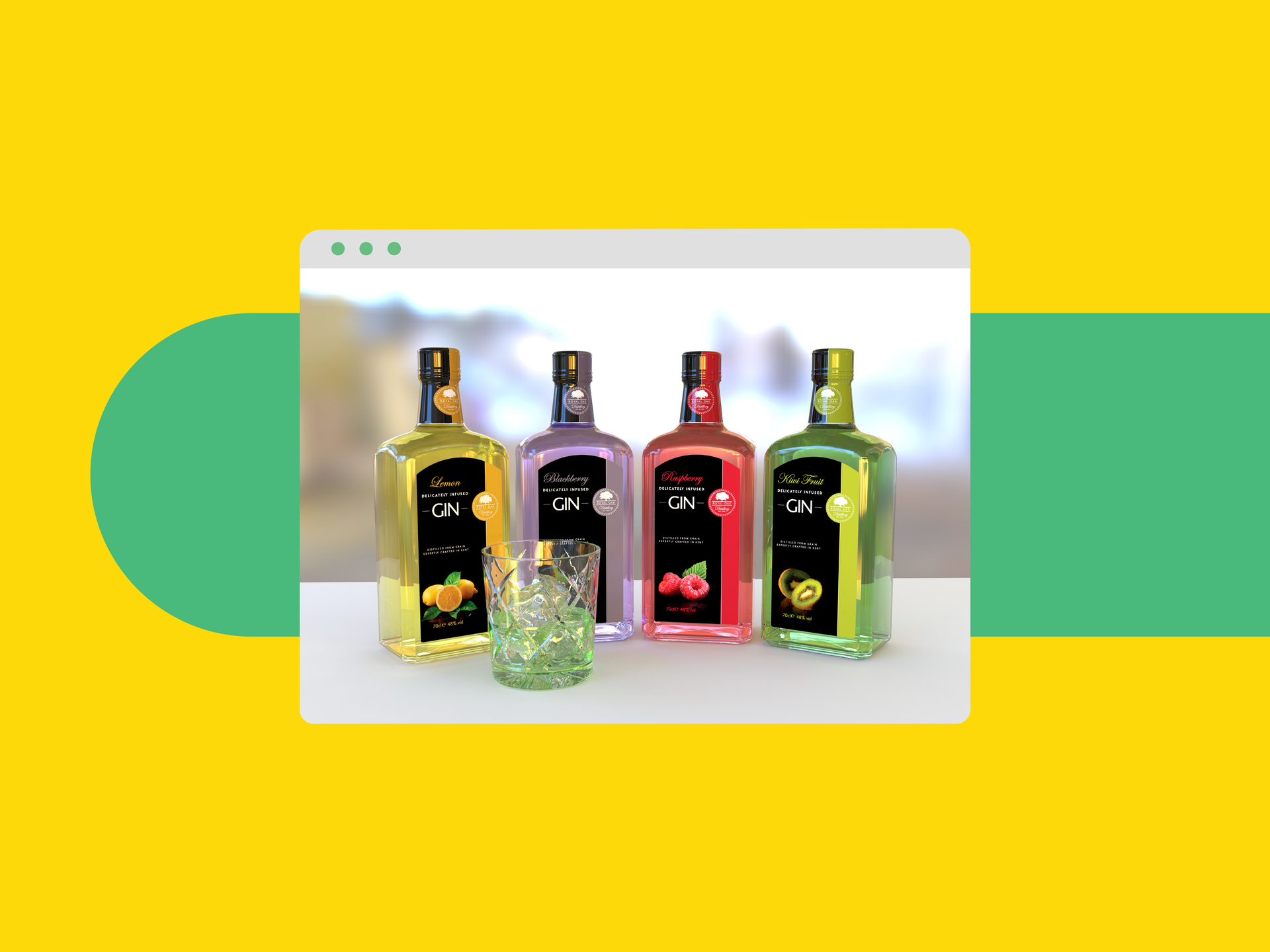
All-in-one 3D packaging design
iC3D Suite is the all-in-one software that produces fast, accurate and photorealistic 3D virtual prototypes. It’s is a powerful packaging design tool as well as a 3D modeling design tool that ensures a smooth transition from design concept to shelf.
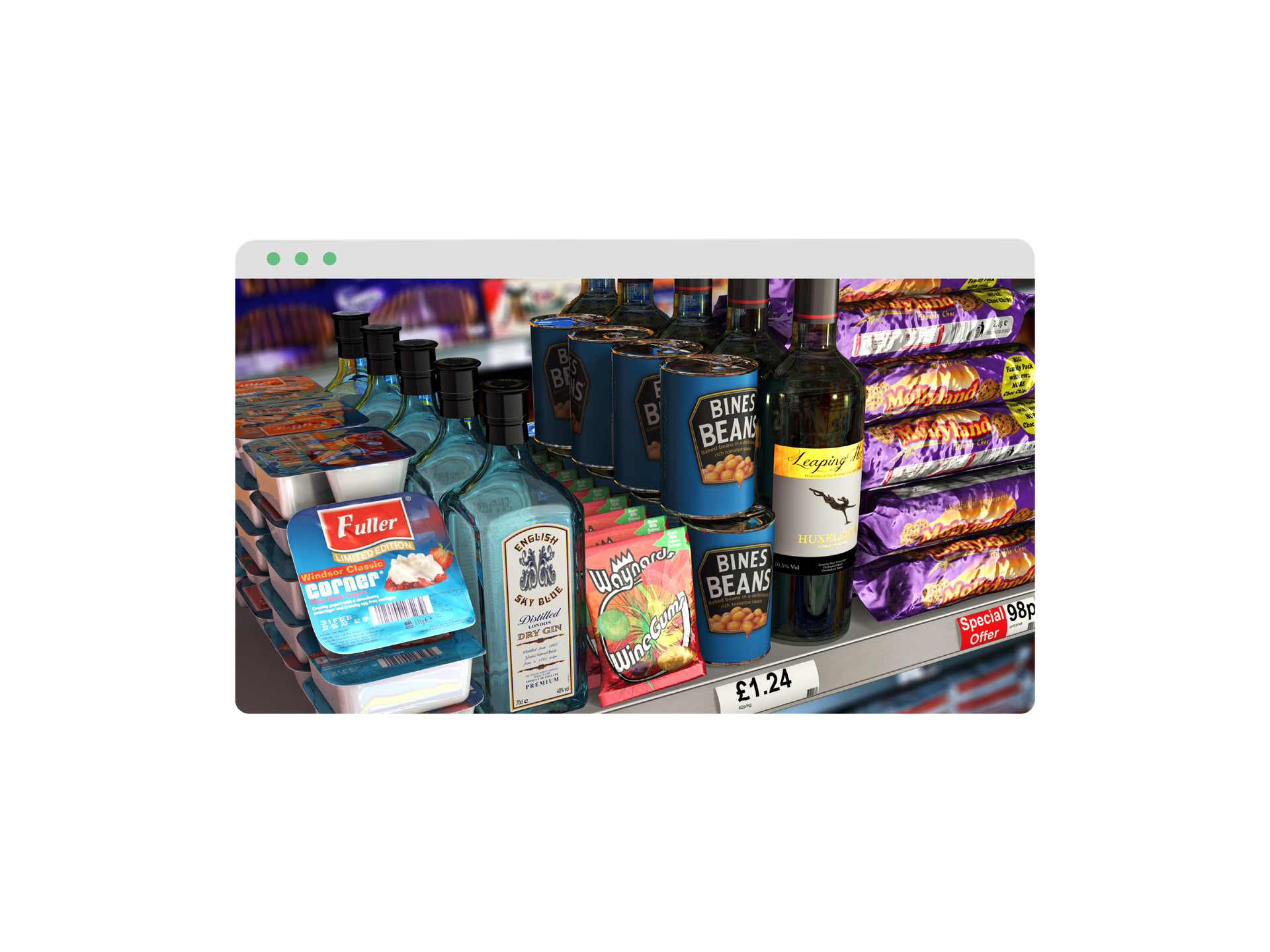
Get your product to the shelves faster
iC3D Suite ensures that potential issues are eliminated from the start and ensures a smooth transition from design concept to shelf in the shortest possible timeframe.
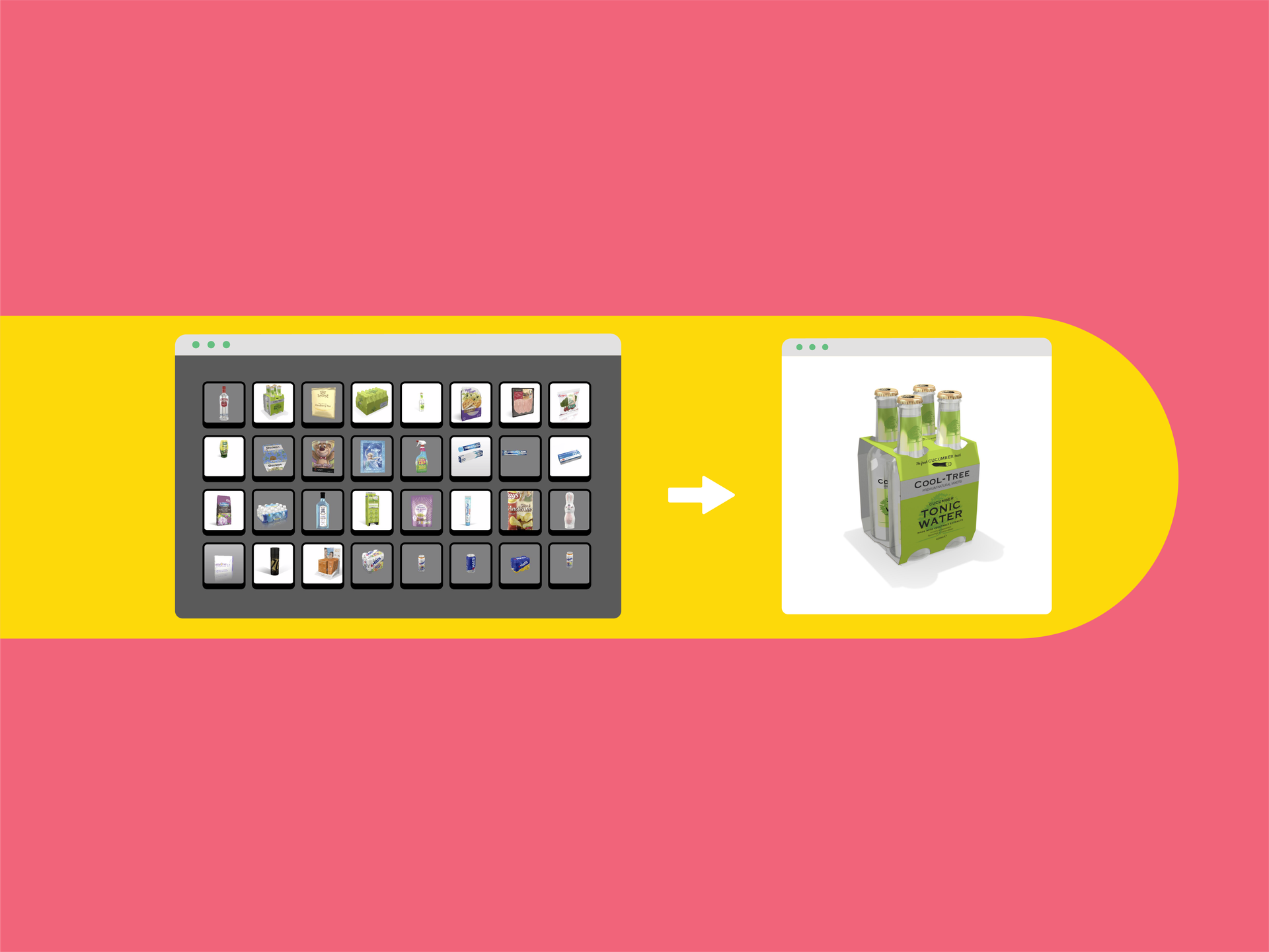
Easier collaboration, troubleshooting & sign-off
With iC3D opsis (the free cloud-based viewer and storage), you can accurately and securely share your 3D packaging design content with clients and stakeholders.
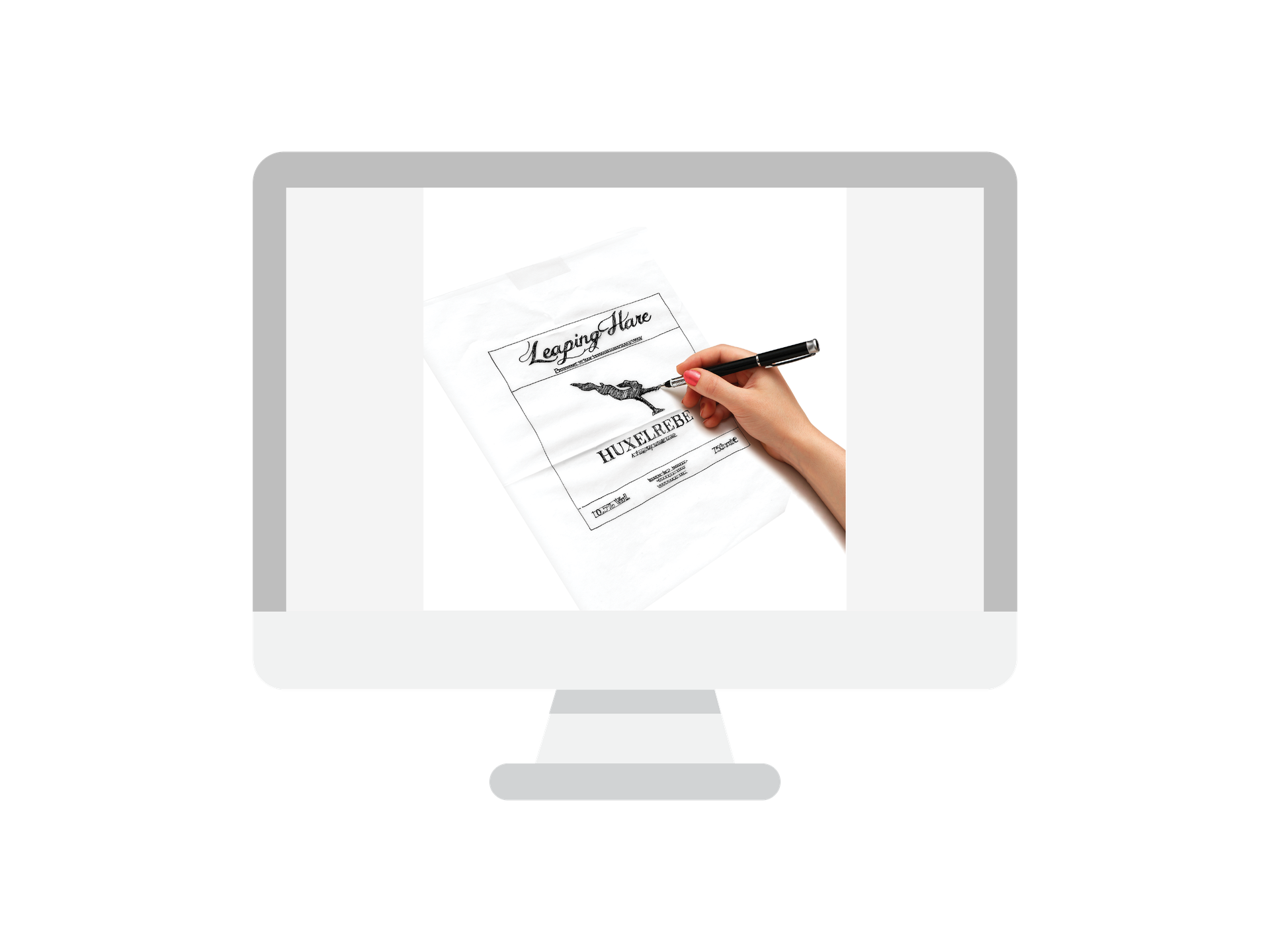
Identify optimizations at the earliest possible stage
The smallest element can mean triumph or failure. With iC3D Suite, you get the opportunity to test designs, give full rein to your creative instincts and innovate!
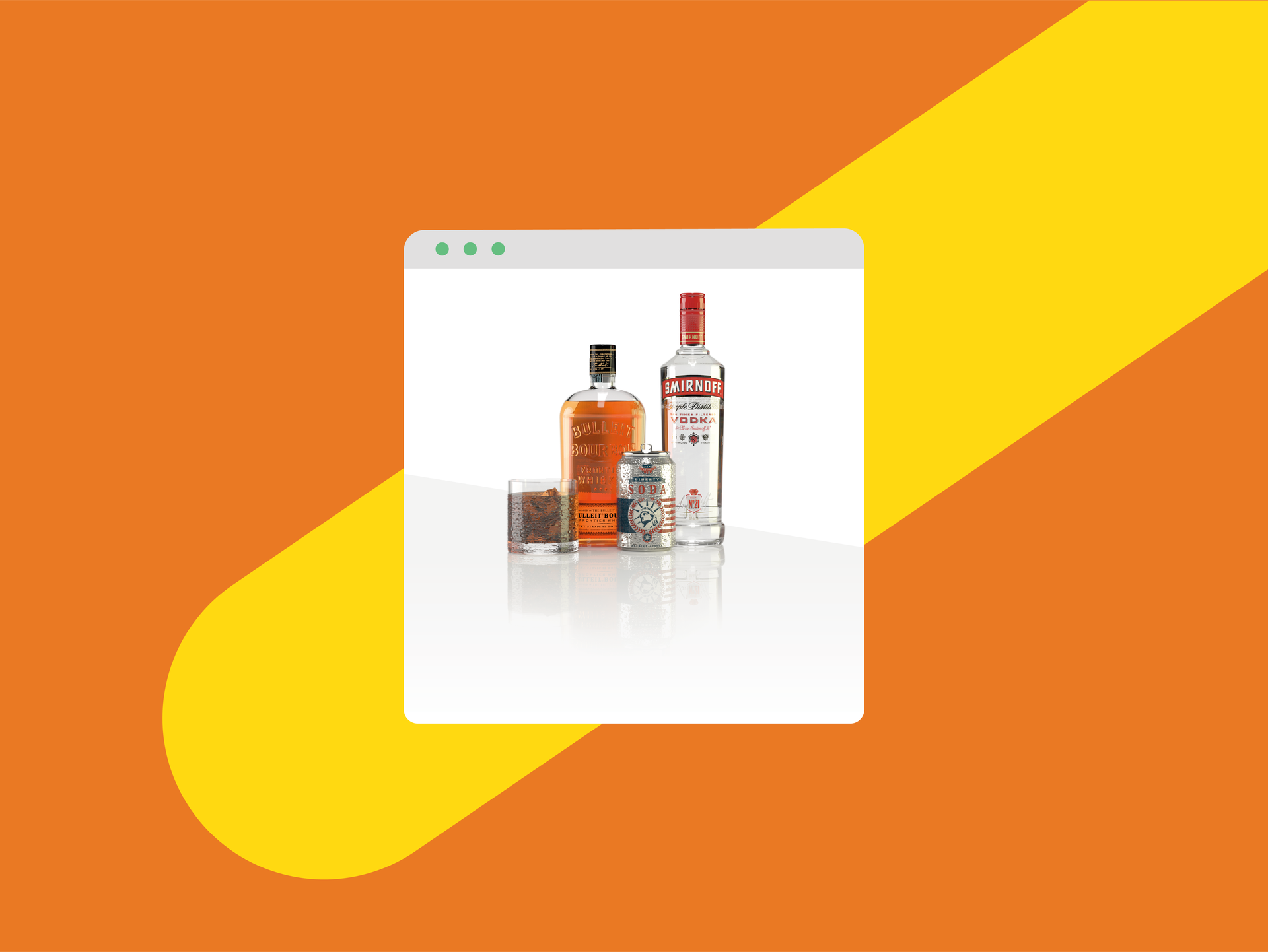
Get photorealistic mockups in minutes
Give quick, accurate visualization of your ideas and avoid the need for costly and time-consuming physical mockups!
Discover iC3D
Talk to our sales team about this product.
Talk to usContact us to get started.
Talk to usVersion history
Showing the 5 most recent of 21 releases.
6.0.2
Additions/Improvements
- Added shine map support for metal ray trace materials
- Added support for RGB and CMYK Colour Management within the iC3D PDF Editor
- Added Collada and OBJ export options; used to control over the colour used to define transparent areas on exported opacity maps, transparent or black
Fixed
- Fix for Fresnel Normal Maps edges causing interference on raytracing
- Fixed HDR Normal maps not being exported to Collada
6.1.0
Creative Edge Software is pleased to announce their latest software update Version 6.1.0 of iC3D.
New Features
- New custom stand up pouch template; allowing the quick creation of any shaped stand up pouch
- New enhanced software ray tracer; allowing accelerated Real Time Ray Tracing on Mac/PC Platforms
- New export to Adobe Dimension option; allowing 3D models built in iC3D to be imported in to Adobe Dimensions
Fixed
- Permissions for Illustrator 2020 plug-ins
6.2.5
Creative Edge Software is pleased to announce our latest software update Version 6.2.5 of iC3D available for download now!
Additions and Improvements
• Group/Ungroup models functionality from within the Object Editor
• Enhanced model duplication options
• Added new Torus & Rounded/Flared rectangle primitives
• Added new horizontal gradation option to background settings within the lighting controls
• Added Shrink iteration counter to Sealed Shrink template
• Added adjustment of the contents inside a bag for horizontal, and depth control within Sealed Shrink template
• Added default option for overprint setting for PDF Editor to iC3D Preferences menu
• Added WebRT creation tools for WebRT subscribers
Fixed
• Fixed language issues for OSX build within iC3D Preferences menu
• Fix for double sided flag being lost after editing label name within the Object Editor
• Fixed panning becoming erratic when zoomed in
• Fixed Opsis Export “Animation Only” option available even if no animation is added
• Fix for CF2 files with unclassified lines not importing all data
• Fix for Illustrator V24.3 no longer opening files passed by iC3D
• Fix for Workspace settings not saving. Changes to PC build on how this is handled
• Fixed Shape Modeller sizing issue when editing shape
• Fixed crash; for when a spot effect is created on the rotated art direction on stand up pouches
• Fix for icons showing incorrect states within the Object Editor
• Fix for minimum Torus primitive inner ring value setting making a non-object
• Fixed crash on Dynamic Backgrounds generated lighting
• Fix for Chinese character filenames not loading
• Fixed Shelf icons displaying incorrectly
6.2.8
Creative Edge Software is pleased to announce our latest software update Version 6.2.8 of iC3D available for download now!
Maintenance Improvements
• Support for Mac OS Big Sur
• Support for Adobe Illustrator 2021 (V25.0)
To Access This Release:- You must have a valid support contract:
- Email support@creativeedgesoftware.com to verify you are eligible for the release
- You will be provided a link directly to the download
6.2.10
Creative Edge Software is pleased to announce our latest software update Version 6.2.10 of iC3D available for download now!
Maintenance Improvements
• Updated Plug-ins for continued support with Illustrator 2021 V25.1